1. 🧠 Key Concepts
a) What is React?
At its core, React is a JavaScript library for building user interfaces. Its two main ideas are:
- Component-Based: You break down your website into small, reusable pieces called components. A navigation bar is a component. A button is a component. A user profile card is a component. You then assemble these pieces to build your entire page.
- Declarative: You “declare” what your UI should look like based on its current state (data). When the state changes, React automatically and efficiently updates the real HTML on the page to match. It does this using a Virtual DOM, which is just a lightweight copy of the real DOM that it uses to calculate the minimum changes needed.
b) Creating Your First App (Vite)
We’ll use a tool called Vite (pronounced “veet”). It’s a modern, blazing-fast replacement for the older create-react-app.
- What it is: A build tool that gives you a ready-to-go React project folder with a single command. It includes a development server that updates your website instantly when you save a file (called Hot Module Replacement).
- Action: You’ll run this command in your terminal:
npm create vite@latest
c) JSX: JavaScript XML
This is the most important concept in this step. JSX is a syntax extension that lets you write HTML-like code directly inside your JavaScript.
- Why it matters: It lets you keep your component’s logic (JavaScript) and its markup (HTML) in the same place.
- Coding Step (The “Aha!” Moment):
// This is NOT HTML. It's not a string.
// It's JSX. It gets compiled into JavaScript.
const element = <h1>Hello, world!</h1>;

// You can use JavaScript variables inside it with curly braces {}
const name = "Alice";
const greeting = <p>Hello, {name}</p>; // Becomes <p>Hello, Alice</p>
d) Components (Functional Components)
A component is just a JavaScript function that returns JSX. That’s it.
- Rules:
- Component names must start with a capital letter (e.g.,
ProfileCard, notprofileCard).A component must return a single “root” element. (You can wrap multiple elements in a<div>or a “Fragment”<>...</>).
- Component names must start with a capital letter (e.g.,
// This is a valid React component
function Welcome() {
  return <h1>Hello from the Welcome component!</h1>;
}
e) Props (Properties)
Props are how you pass data down from a parent component to a child component. This is how you make components reusable.
- Why it matters: You can build one
<ProfileCard>component and use it 100 times, just by passing it 100 different sets ofprops. - Coding Step:
- Props are passed as attributes in JSX, just like HTML attributes.They arrive in the child component as a single object called
props.
- Props are passed as attributes in JSX, just like HTML attributes.They arrive in the child component as a single object called
// 1. In the PARENT component (App.js)
// We "pass" the prop 'name' to the Welcome component
function App() {
  return <Welcome name="Alice" />;
}

// 2. In the CHILD component (Welcome.js)
// We "receive" the 'props' object
function Welcome(props) {
  // props is { name: "Alice" }
  // We can use destructuring (from Step 0!)
  // const { name } = props;

  return <h1>Hello, {props.name}</h1>; // Renders "Hello, Alice"
}
f) Styling
There are many ways to style. For now, we’ll use the simplest: importing a standard CSS file.
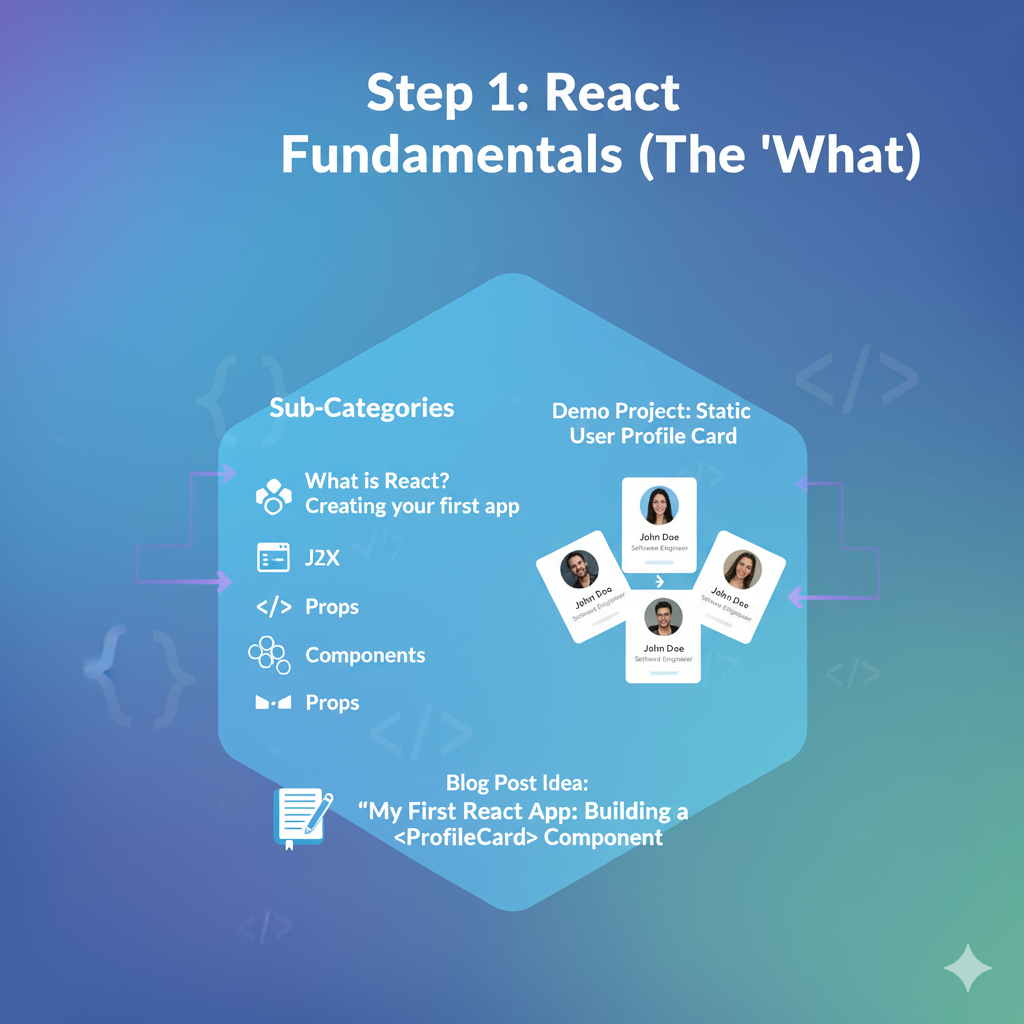
2. 🚀 Demo Project: Static User Profile Card
Let’s build it. We’ll create one reusable <ProfileCard> component and use it three times in our main App component, passing different data to each.
Coding Steps:
Step 1: Create your React app Open your terminal and run these commands:
Bash
# 1. This command asks you to name your project (e.g., "profile-card-project")
#    Then, it will ask you to select a framework: Choose "React"
#    Then, it will ask to select a variant: Choose "JavaScript"
npm create vite@latest

# 2. Navigate into your new project folder (replace with your project name)
cd profile-card-project

# 3. Install all the necessary packages
npm install

# 4. Start the development server
npm run dev
Your terminal will show you a URL (like http://localhost:5173). Open this in your browser. You’ll see the default Vite + React page.
Step 2: Clean up the project
- Open the
srcfolder. - Delete the
App.cssfile (we’ll make our own). - Open
index.cssand delete all the default styles. - Open
App.jsxand delete everything inside. This is where we’ll start.
Step 3: Create the ProfileCard component
- Inside the
srcfolder, create a new file namedProfileCard.jsx. - Paste this code into
ProfileCard.jsx
// src/ProfileCard.jsx

// Notice we receive 'props' as an argument
// We can use destructuring to pull out the values
function ProfileCard({ name, jobTitle, avatarUrl }) {
  return (
    <div className="profile-card">
      <img src={avatarUrl} alt={`${name}'s profile`} className="profile-avatar" />
      <h2 className="profile-name">{name}</h2>
      <p className="profile-job">{jobTitle}</p>
    </div>
  );
}

export default ProfileCard;

// Note: In JSX, we use 'className' instead of 'class' for CSS,
// because 'class' is a reserved word in JavaScript.
Step 4: Create the CSS
- Inside the
srcfolder, create a new file namedMyStyles.css. - Paste this CSS into
MyStyles.css:
/* src/MyStyles.css */
body {
  font-family: Arial, sans-serif;
  background-color: #f0f2f5;
  display: flex;
  justify-content: center;
  align-items: center;
  padding: 40px;
}

.app-container {
  display: flex;
  gap: 30px;
}

.profile-card {
  background-color: #ffffff;
  border-radius: 10px;
  box-shadow: 0 4px 12px rgba(0, 0, 0, 0.1);
  padding: 24px;
  text-align: center;
  width: 250px;
}

.profile-avatar {
  width: 120px;
  height: 120px;
  border-radius: 50%; /* Makes the image round */
  object-fit: cover;
  margin-bottom: 16px;
  border: 3px solid #eee;
}

.profile-name {
  font-size: 1.5rem; /* 24px */
  color: #333;
  margin: 0;
}

.profile-job {
  font-size: 1rem; /* 16px */
  color: #777;
  margin-top: 4px;
}
Step 5: Use your component in App.jsx
- Open your (now empty)
src/App.jsxfile. - This is your “parent” component. We will
importand use theProfileCardcomponent here. - Paste this code into
App.jsx:JavaScript
// src/App.jsx

// 1. Import our CSS file
import './MyStyles.css';

// 2. Import our child component
import ProfileCard from './ProfileCard.jsx';

// 3. This is our main App component
function App() {
  return (
    <div className="app-container">
      {/* We are "using" the component 3 times */}
      {/* and passing different "props" to each one. */}

      <ProfileCard
        name="Alice Johnson"
        jobTitle="Software Engineer"
        avatarUrl="https://i.imgur.com/7v10N18.png"
      />

      <ProfileCard
        name="Bob Smith"
        jobTitle="Product Designer"
        avatarUrl="https://i.imgur.com/NKyN5D5.png"
      />

      <ProfileCard
        name="Charlie Brown"
        jobTitle="Project Manager"
        avatarUrl="https://i.imgur.com/Tav8N2N.png"
      />

    </div>
  );
}

export default App;
Step 6: See the result! If your npm run dev server is still running, just look at your browser. It should have updated automatically to show three beautiful profile cards, side-by-side.
You’ve just successfully built your first React app using Components, JSX, and Props.